
Aspire SIS is the system UCAS uses to track grades and attendance. Here is a link to the login screen: https://ucas.usoe-dcs.org/Login/. We will also use Aspire to sign the required forms. Many of the forms need both a student's and a parent's signature, so please be sure to have your student with you when you create or log into your PARENT Aspire account. The forms cannot be signed from a student's Aspire account. Signatures must be completed by August 10. Here is how to access the forms:
Once you are logged in, click on "Can Register for Grade..." 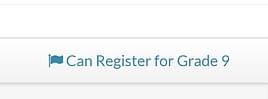 You will then have access to confirm your contact information and to review the forms. If you have any issues with the steps below, we will be available at registration to help you. Here are the steps to create an account if you don't already have one:
- PARENTS MUST create an Aspire SIS account in order to complete registration. Here are the instructions:
- If you need to register on Aspire SIS as a parent, go to https://ucas.usoe-dcs.org/Register. You will need your student’s UCAS ID number and date of birth. If you do not know your student's 4-digit ID, email melanie.ferlo@ucas-edu.net.
- Follow the instructions to create an account.
- Once you login to your parent Aspire account, follow these instructions to complete registration.
- You can subscribe to weekly grade and attendance updates for your student. Here are those instructions.
- Instructions for NEW STUDENTS:
- Your UCAS ID can be found in your PARENT'S Aspire account.
- Once you have your UCAS ID, go to https://ucas.usoe-dcs.org/Login/
- Use your UCAS ID for your username.
- Your password is the word ucas followed by your birthday. Do NOT add leading zeros, but use the full year. So, if my birthdate were March, 8, 1920, my password would be ucas381920
Schedules for Fall Semester are available on SIS. If you don't see your schedule, the counselor is probably still working on entering it into our system. Don't worry, you will see it soon! You may also receive a copy when you come to the school to finish your registration.
If you need help logging into Aspire, we will be available during registration to answer your questions.
1. Go to the UVU Online Application website.
2. When you continue to the online participation form an application, there will be an option to watch a video. It is HIGHLY recommended that you watch the video before completing the application.
3. Complete the UVU application. Be sure to select UCAS as both the district and the school.
4. Once the application is complete, you will receive an email with your UVU ID number. You will need that ID number to sign up for UVU concurrent enrollment courses.
Log into your UCAS Parent Portal to check your lunch and fees balance and set up recurring payments for lunch, if desired.
You can view the school lunch prices here.
You can find a Free and Reduced Lunch Application here. Instructions can be found underneath the links for the application. Complete applications can be emailed to Rain Jeppson or turned in during registration.
The link above contains both English and Spanish versions.
If further help is needed, please contact our Lunch Manager, Rain Jeppson, 801-225-8227, ext 2000.
Fees will not show in your parent portal until the beginning of next week. Please wait until then to pay your fees.
- Fees are due by August 10, 2026.
- It is highly recommended that you pay your fees in person so that you know you are paying the correct amount.
- Visit this page for complete fee information, including fee waiver applications.
- You can pay fees via your UCAS parent portal. If you are planning a schedule change, please wait to pay fees until after the change is complete.
- It is also recommended that you purchase a yearbook, if interested, at the time of paying fees.
You only need to do this if you are a new UCAS student. UCAS does not have a student ID, we use UVU ID cards for our student IDs.
- Your bus pass will not work until you have registered for at least one concurrent enrollment class.
- Getting your UVU activity card can (and should) be done completely online this year.
- Follow this link for instructions: https://www.uvu.edu/campusconnection/id-cards/index.html#start-the-process
- Scroll down and hover over the picture on the left that says: Step 1 - Submit Photo
- Click “Submit a Photo” when it pops up.
- Follow the on screen instructions.
- After you submit your photo, check your UVU email for instructions from campus connect to finish the process.
Your initial password is "changeme5" (without the quotations). You will be forced to change your password when you log in.
All teachers at UCAS are being asked to use canvas to post course material.
- Follow this link to login: https://ucas-edu.instructure.com/
- Use your UCAS email address to access your account.
You will need to come to the school to register for your concurrent enrollment classes. If you are having a hard time getting your UVID, come to UCAS during registration and we will help you!
We are happy to help you with any of these steps. Please be aware that during registration we may be difficult to reach by phone. If you would like help going through these steps, please come into the school and we would be happy to assist you.

-
17 NovBoard Meeting
-
18 NovRMU Health and Medical Exploration ProgramOpen House
-
19 NovSCC/ Land Trust
-
25 NovThanksgiving Break
-
26 NovThanksgiving Break
-
27 NovThanksgiving Break
-
02 DecChoir Concernt
-
04 DecWinter Dance
-
07 DecUVU Finals
December 7-11
-
15 DecUCAS FinalsBoard Meeting
-
16 DecUCAS Finals
-
17 DecUCAS FinalsSCC/ Land Trust